If you need to configure a project in Visual Studio manually, perform the following steps:
1.Create a project in Visual Studio.
2.Specify the following path as an additional include directory:
$(IDS_PEAK_PATH\common\include\; $(IDS_PEAK_GENERIC_SDK_PATH)\api\include\; $(IDS_PEAK_GENERIC_SDK_PATH)\icv\include\; $(IDS_PEAK_GENERIC_SDK_PATH)\afl\include\
3.Define the additional library directories:
$(IDS_PEAK_GENERIC_SDK_PATH)\api\lib\x86_64\; $(IDS_PEAK_GENERIC_SDK_PATH)\icv\lib\x86_64\; $(IDS_PEAK_GENERIC_SDK_PATH)\ipl\lib\x86_64\; $(IDS_PEAK_GENERIC_SDK_PATH)\afl\lib\x86_64\
4.Specify the libraries used as an additional dependency:
ids_peak.lib; ids_peak_icv.lib; ids_peak_ipl.lib; ids_peak_afl.lib
5.Define the post-build event by command line:
copy "$(IDS_PEAK_GENERIC_SDK_PATH)\api\lib\x86_64\*.dll " "$(OutDir)"
copy "$(IDS_PEAK_GENERIC_SDK_PATH)\icv\lib\x86_64\*.dll" "$(OutDir)"
copy "$(IDS_PEAK_GENERIC_SDK_PATH)\ipl\lib\x86_64\*.dll" "$(OutDir)"
copy "$(IDS_PEAK_GENERIC_SDK_PATH)\afl\lib\x86_64\*.dll" "$(OutDir)"
6.Enable the "bigobj" option:
Under "Configuration Properties > C/C++ > Command Line", specify the compiler option "/bigobj" in the "Additional Options" field.
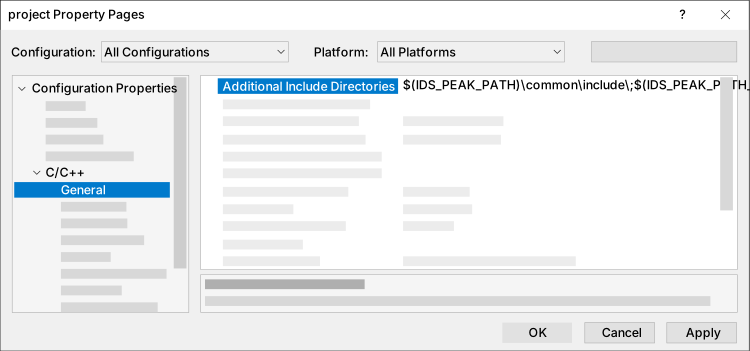
Fig. 309: Include directory
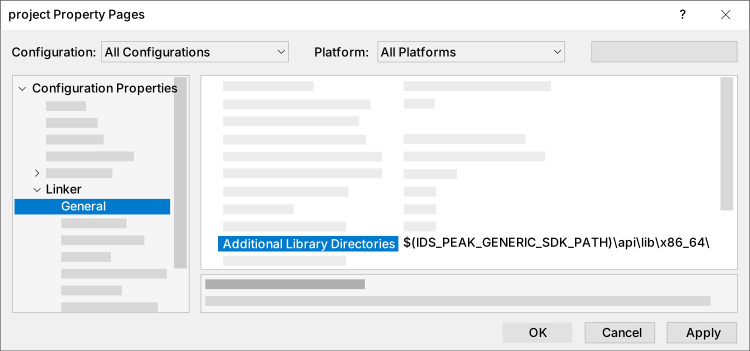
Fig. 310: Library directory
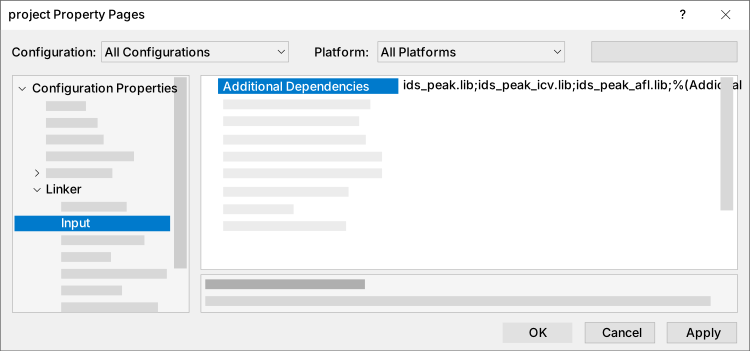
Fig. 311: Other dependencies
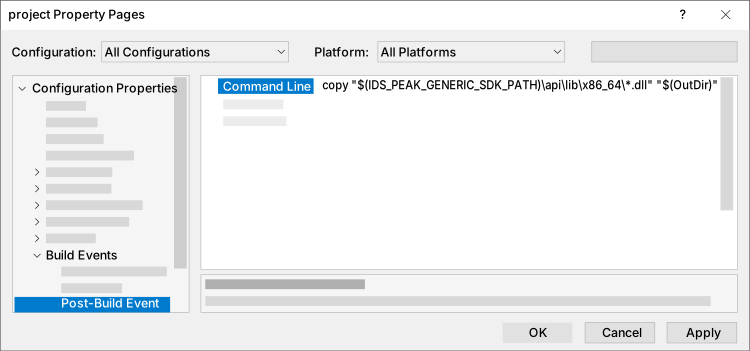
Fig. 312: Post-build event
Test the configuration with a short test code, e.g.:
main.cpp (genericC++) |
|---|
#include <iostream> |