If you need to configure a project in Visual Studio manually, perform the following steps:
1.Create a project in Visual Studio.
2.Specify the following path as an additional include directory:
$(IDS_PEAK_COMFORT_SDK_PATH)\api\include\
3.Define the additional library directories:
$(IDS_PEAK_COMFORT_SDK_PATH)\api\lib\x86_64\
4.Specify the libraries used as an additional dependency:
ids_peak_comfort_c.lib
5.Define the post-build event by command line:
copy "$(IDS_PEAK_COMFORT_SDK_PATH)\api\lib\x86_64\*.dll" "$(OutDir)"
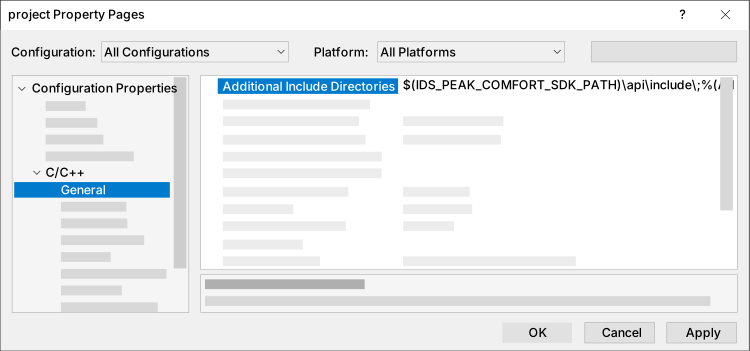
Fig. 305: Include directory
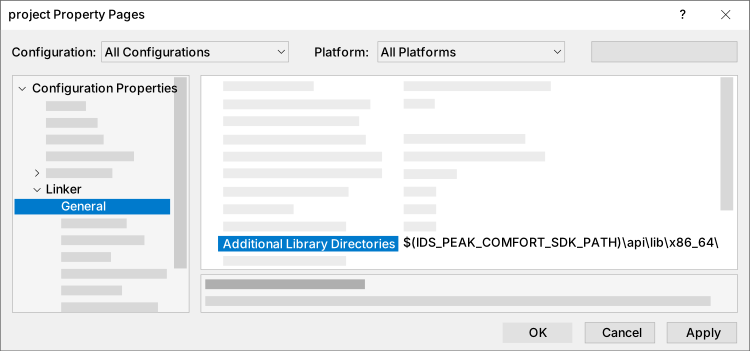
Fig. 306: Library directory
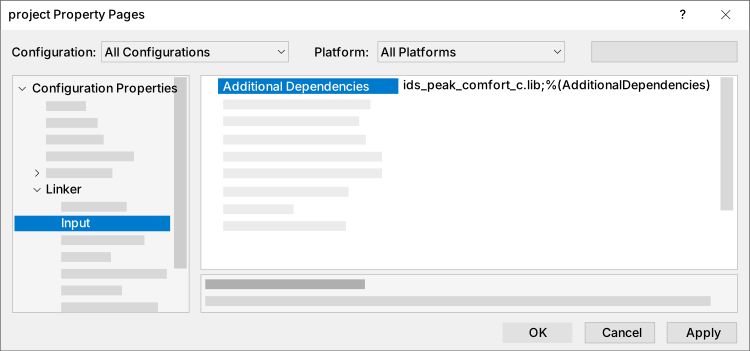
Fig. 307: Other dependencies
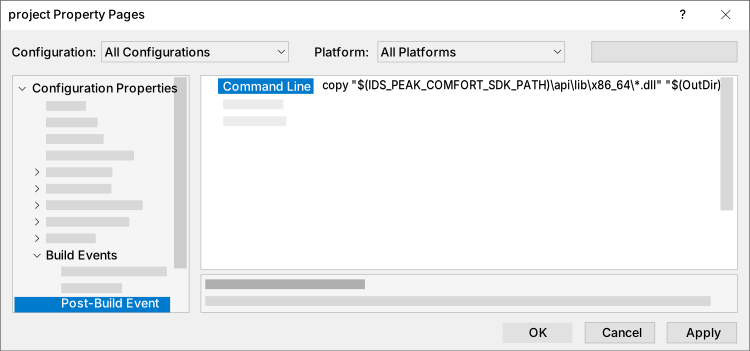
Fig. 308: Post-build event
Test the configuration with a short test code, e.g.:
main.c (comfortC) |
|---|
#include <stdio.h> |